
📲 How to Send WhatsApp API Message (Step-by-Step)
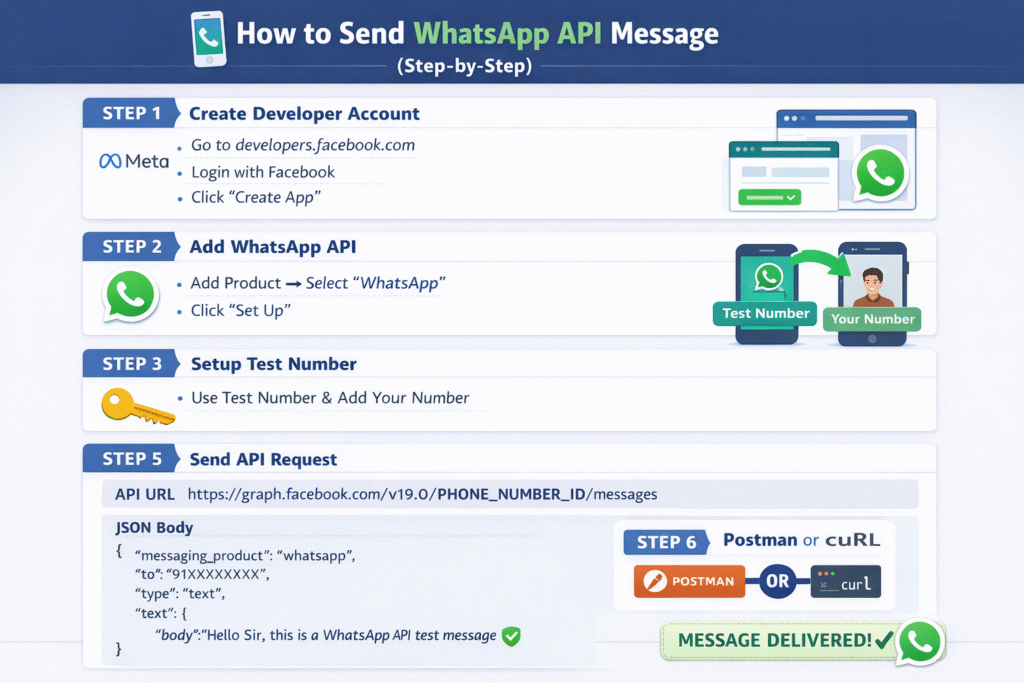
🧩 Step 1: Create Developer Account
- Go to: https://developers.facebook.com
- Login with your Facebook account
- Click on “Create App”
📦 Step 2: Add WhatsApp API
- Open your App Dashboard
- Click “Add Product”
- Select WhatsApp
- Click “Set Up”
📱 Step 3: Setup Test Number
- Meta will give you a test WhatsApp number
- Add your own number as a recipient (receiver)
🔑 Step 4: Get Access Token
- Go to WhatsApp dashboard
- Find Temporary Access Token
- Copy it (you’ll need it for API calls)
💬 Step 5: Send Message (API Request)
👉 API Endpoint:
POST https://graph.facebook.com/v19.0/PHONE_NUMBER_ID/messages
👉 Request Body (JSON):
{
“messaging_product”: “whatsapp”,
“to”: “91XXXXXXXXXX”,
“type”: “text”,
“text”: {
“body”: “Hello Sir, this is a WhatsApp API test message ✅”
}
}
“messaging_product”: “whatsapp”,
“to”: “91XXXXXXXXXX”,
“type”: “text”,
“text”: {
“body”: “Hello Sir, this is a WhatsApp API test message ✅”
}
}
🧪 Step 6: Send Request
✔️ Using Postman
- Method: POST
- Enter URL
- Add Headers:
Authorization: Bearer YOUR_ACCESS_TOKEN
Content-Type: application/json
Content-Type: application/json
- Body → raw → paste JSON
- Click Send
✔️ Using CURL (Terminal)
curl -X POST https://graph.facebook.com/v19.0/PHONE_NUMBER_ID/messages \
-H “Authorization: Bearer YOUR_ACCESS_TOKEN” \
-H “Content-Type: application/json” \
-d ‘{
“messaging_product”: “whatsapp”,
“to”: “91XXXXXXXXXX”,
“type”: “text”,
“text”: {“body”: “Hello from API”}
}’
-H “Authorization: Bearer YOUR_ACCESS_TOKEN” \
-H “Content-Type: application/json” \
-d ‘{
“messaging_product”: “whatsapp”,
“to”: “91XXXXXXXXXX”,
“type”: “text”,
“text”: {“body”: “Hello from API”}
}’
⚠️ Step 7: Important Rules
- User must give permission (opt-in)
- First message must be a template message
- After 24 hours, you cannot send free messages
- Avoid spam ❌ (your number can be blocked)
🚀 Final Simple Flow
- Create Meta developer account
- Add WhatsApp API
- Get access token
- Send API request
- Message delivered ✅
If you want next level help, I can:
- ✅ Give you ready-made working code (Node.js / PHP)
- ✅ Show bulk messaging setup
- ✅ Help you create your own WhatsApp dashboard
Just tell me 👍
