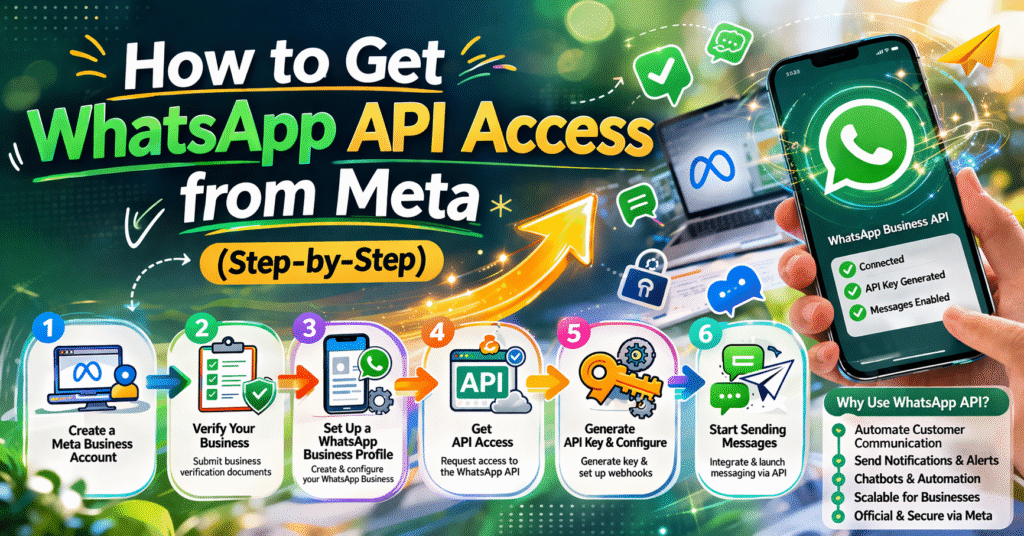
How to Get WhatsApp API Access from Meta (Step-by-Step)

How to Get WhatsApp API Access from Meta (Step-by-Step)

whatsapp api

Getting access to the WhatsApp API allows businesses to automate messages, handle customer support, and grow faster. Follow these simple steps:

✅ Step 1: Create a Business Account

  • Go to Facebook Business Manager
  • Add your business details (name, email, website)
  • Verify your business (important for approval

✅ Step 2: Verify Your Business

  • Submit documents (GST, company registration, etc.)
  • Wait for approval from Meta
  • Without verification, API access is limited

✅ Step 3: Choose a WhatsApp API Provider

  • Meta Cloud API (Recommended for beginners)
  • Business Solution Provider (BSP)

✅ Step 4: Register Your Number

  • Use a new number (not already on WhatsApp)
  • Verify it with OTP
  • This number will be your business WhatsApp

✅ Step 5: Set Up WhatsApp Business Profile

  • Add business name, logo, description
  • Set category and contact details
  • This becomes your public business profile 

✅ Step 6: Create Message Templates

  • Required for sending messages first (outside 24-hour window)
  • Example: OTP, order update, reminders
  • Submit templates for approval

✅ Step 7: Start Integration

  • Connect API with your website, CRM, or software
  • Use automation tools or developers
  • Start sending and receiving messages

🎯 Final Result

  • You can send automated messages
  • Handle bulk communication
  • Provide 24/7 customer support

Leave a Comment

Your email address will not be published. Required fields are marked *